How I Fine-Tuned a Bedrock Model for AI-Powered Video Marketing Scripts
Overview: The Project Context
While working on a Generative AI-powered video marketing platform, I faced a common challenge:
Generic AI models are good at writing text, but they don't consistently write in the style marketers need.
The platform was designed to transform simple text prompts into short, engaging marketing videos. To do this effectively, the system had to produce:
- High-conversion marketing scripts
- Scene-by-scene storyboards
- Platform-specific CTAs (Instagram, TikTok, YouTube Shorts)
- Consistent brand and marketing tone
Prompt engineering and Retrieval-Augmented Generation (RAG) alone were not sufficient to enforce style, structure, and persuasion patterns at scale. This led me to fine-tune a Bedrock model specifically for marketing script generation.
Why Fine-Tuning Matters
Fine-tuning is all about teaching a model how to say something, rather than what to say.
For marketing scripts, outputs must:
- Follow a structured [Hook][Scene][CTA] format
- Maintain a consistent brand voice
- Optimize for engagement and conversion
- Avoid mistakes or unsafe claims
Without fine-tuning, even the best LLMs can produce inconsistent, off-brand, or unstructured scripts.
Step 1: Define Fine-Tuning Objectives
Before starting, I defined what the model needed to do:
- Style & tone consistency: energetic, persuasive, brand-aligned
- Structured outputs: [Hook][Scene][CTA]
- Platform awareness: Instagram, TikTok, YouTube
- Conversion focus: natural CTAs, engaging hooks
- Safety & compliance: prevent factual mistakes or misleading claims
Step 2: Prepare the Dataset
I created a JSONL dataset with prompt-completion pairs. Each entry follows the structure:
{
  "schemaVersion": "bedrock-conversation-2024",
  "system": [
    {
      "text": "You are a creative marketing assistant specializing in short ads"
    }
  ],
  "messages": [
    {
      "role": "user",
      "content": [
        {
          "text": "Write a 20-second TikTok ad for a coffee subscription"
        }
      ]
    },
    {
      "role": "assistant",
      "content": [
        {
          "text": "[Hook] Fresh coffee delivered weekly!\n[Scene 1] Subscription box arrives at the door\n[CTA] Subscribe today and get your first box free!"
        }
      ]
    }
  ]
}
Dataset highlights:
- ~100 high-quality examples
- Multiple platforms and campaign types (fitness, productivity, coffee, travel, meditation, coding)
- Varying ad lengths (15–60 seconds)
- Structured [Hook][Scene][CTA] format
This dataset was critical: quality > quantity. I focused on brand-approved, high-performing marketing scripts.
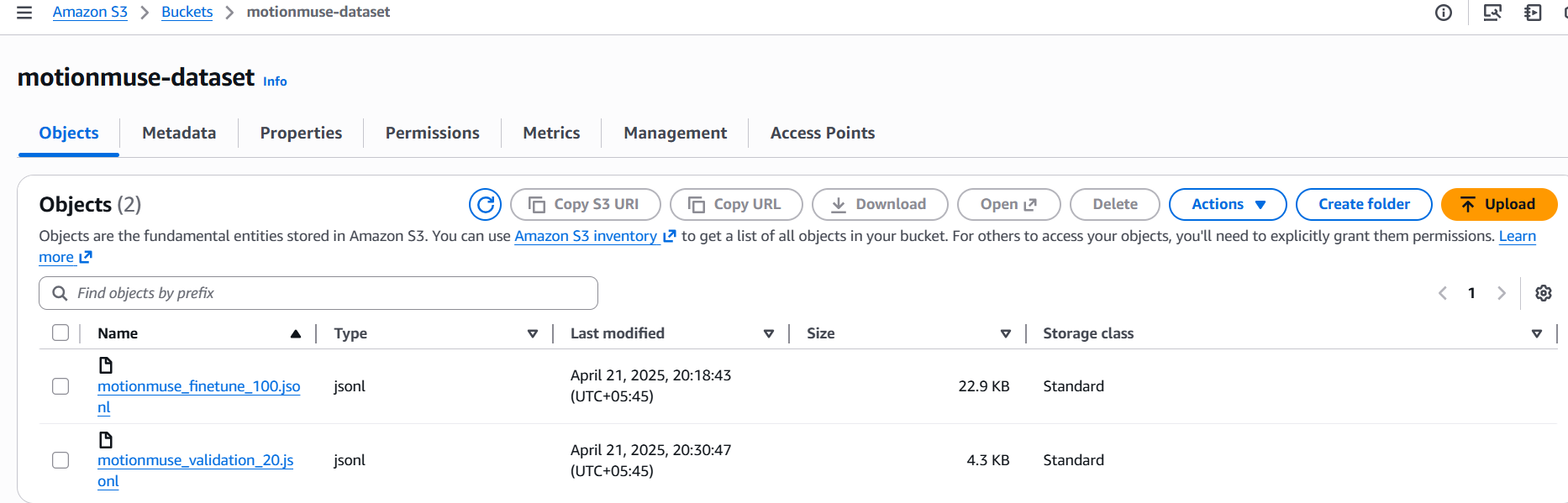
Step 3: Upload Datasets to S3
Upload your training and validation datasets to an S3 bucket that Bedrock can access.
Step 4: Create IAM Role for Bedrock
- Go to IAM → Roles → Create Role
- Select Bedrock as trusted entity
- Attach a policy like this (replace bucket names):
{
  "Version": "2012-10-17",
  "Statement": [
    {
      "Effect": "Allow",
      "Action": [
        "s3:GetObject",
        "s3:ListBucket",
        "s3:PutObject"
      ],
      "Resource": [
        "arn:aws:s3:::motionmuse-dataset",
        "arn:aws:s3:::motionmuse-dataset/*"
      ]
    }
  ]
}
Step 5: Create Fine-Tuning Job in Bedrock
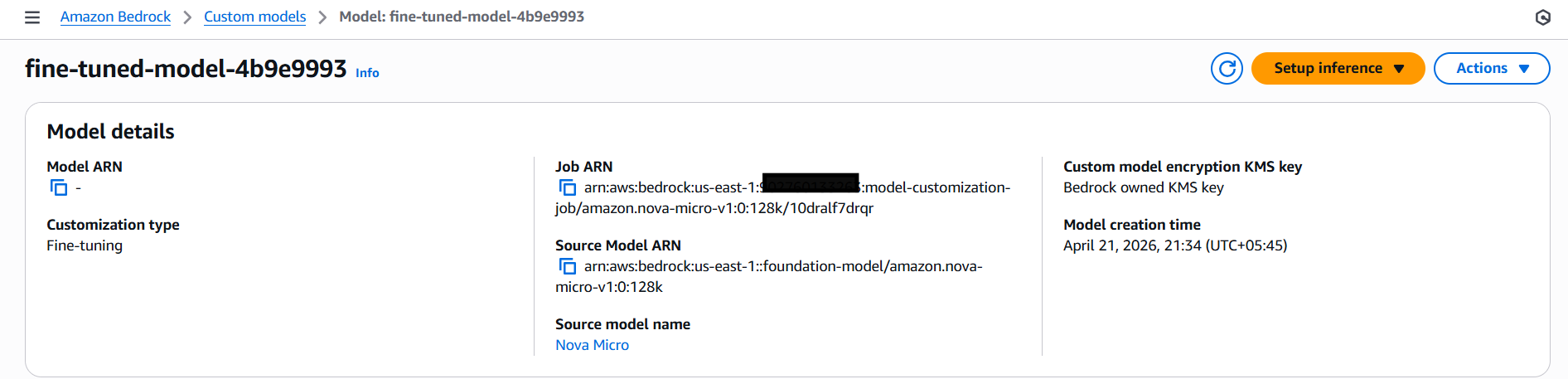
- Navigate to Amazon Bedrock Console → Tune → Custom Models → Create Fine-tuning Job
- Select Nova Micro as the base model
- Configure Input Data:
- Training file:
s3://motionmuse-dataset/motionmuse_finetune_100.jsonl - Validation file:
s3://motionmuse-finetune-data/motionmuse_validation_20.jsonl
- Training file:
- Output Data Location:
- Example:
s3://motionmuse-dataset/output/
- Example:
- Hyperparameters (example for Nova Micro):
- epochCount: 3
- batchSize: 8
- learningRate: 3e-5
- Assign the IAM role you created in Step 4
- Click Create Job. Bedrock will start fine-tuning.
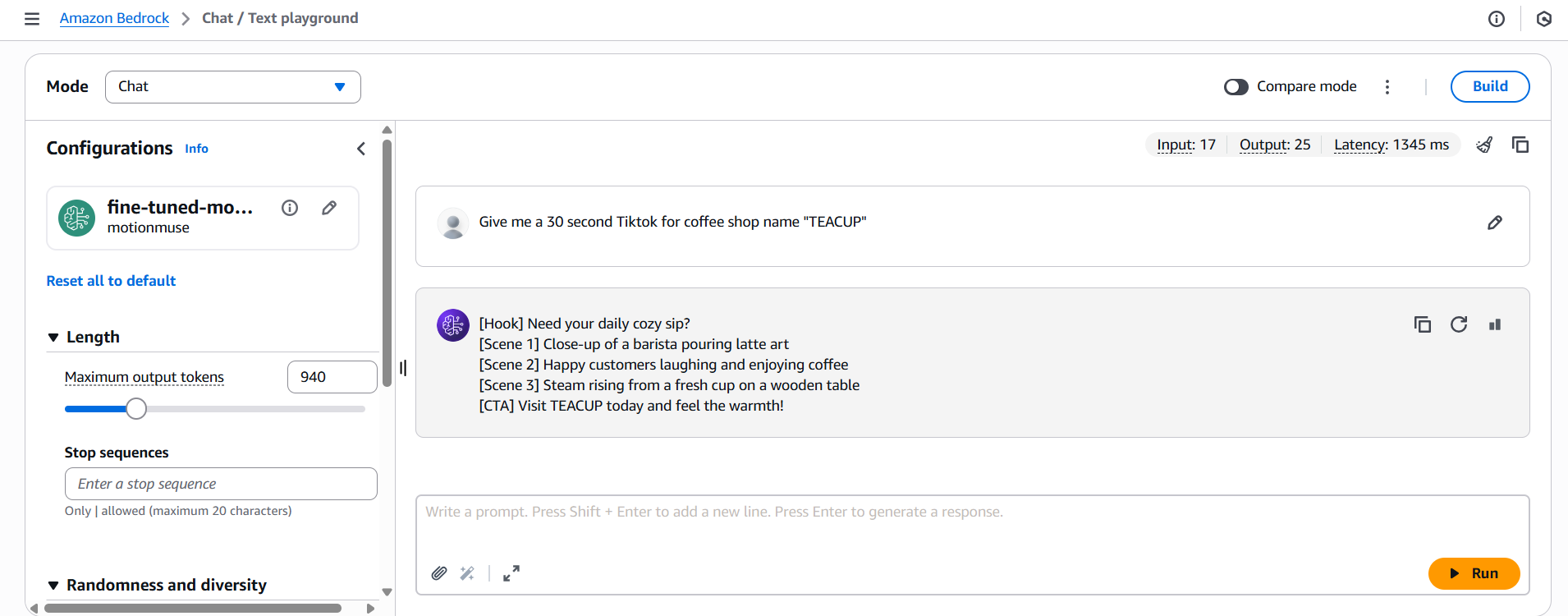
Step 6: Test Your Fine-Tuned Model
- Once the job is complete, your fine-tuned model appears under Custom Models
- Test it via On-Demand Inference:
- Open Playground → Select Custom Model
- Enter a prompt, e.g.: "Generate a 30-second TikTok ad for a productivity app"
- Validate the responses match the tone, style, and structure you expect
Final Thoughts
Fine-tuning isn't about making the model smarter; it's about making it more disciplined. By moving the "instructions" from the prompt into the model's actual weights, I reduced my latency, lowered my token costs (shorter prompts!), and—most importantly—got scripts that actually sound like a human wrote them.
The key takeaway: When generic AI isn't enough, fine-tuning can bridge the gap between general capability and domain expertise.
Written by
Sujata Dahal